One trade. Every account. Each one on its own plan.
The NinjaTrader 8 copier built for traders who run prop firm accounts. It copies your master account to all the others, with a risk plan for each account, distance to drawdown in plain view, and a safety Shield.
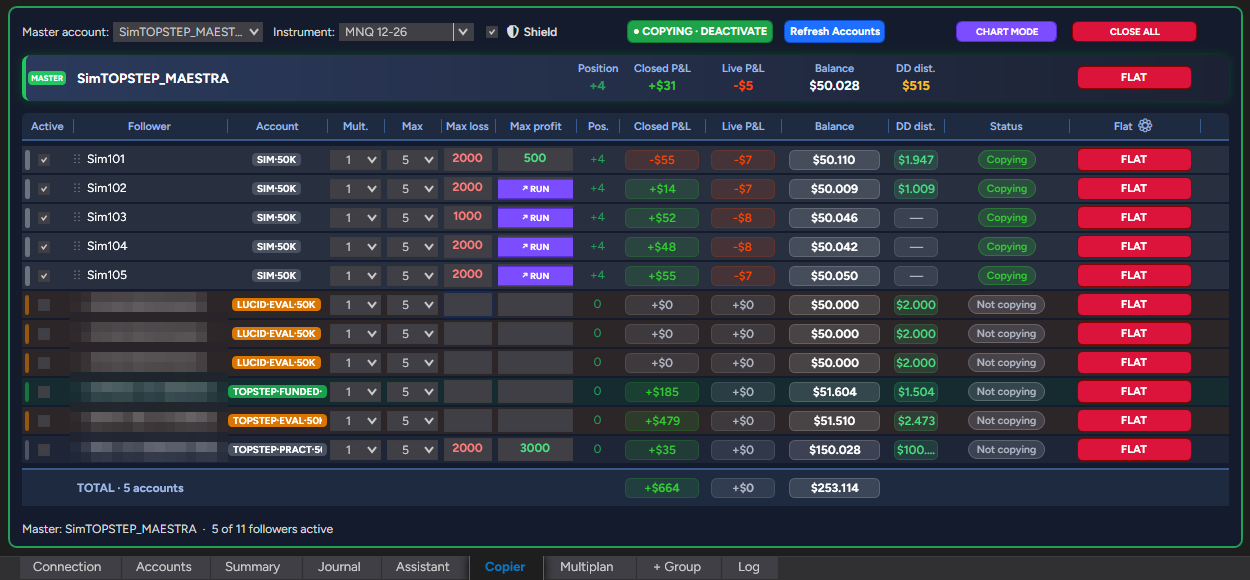
Five accounts, five risk rules, two hands.
Every evaluation and every funded account has its own size, daily limit, and drawdown. One wrong click and an account is gone.
A regular copier repeats your trades. Bunshin also keeps each account within its plan, and closes it before it breaks a rule.
Safe copying
Copies by position, at market: no orders are ever left hanging. Safe reversals, anti-hedge between groups, and a contract max per account.
A risk plan for each account
Contracts and limits per trade and per day, based on account size. If an account hits its daily limit, it is closed and locked until the next session.
Built for prop firms
Distance to drawdown on every account, firm and phase labels, and your TopstepX accounts right next to your NinjaTrader ones.
Set it up once. After that, you just trade your master.
Classify your accounts
Firm, phase, size, and drawdown are read from the account name and adjusted in a single table.
Choose how to trade
Copier, plan group, or Multiplan. Or let the Assistant set it up with a few questions.
Activate and trade
When you activate, Bunshin opens the charts for you with the account and contracts already set. You trade the master from the chart, the DOM, or Chart Trader, and every account follows, each within its plan.
The Shield watches every account.
If an account is out of sync with the master for 10 seconds, or one of its orders fails, Bunshin closes it, disables it, and sounds the alarm. Nothing is left half-done.
- —It tries to fix it first; then it acts
- —A rejected or unconfirmed order closes that account
- —Every action goes in the Log with its reason
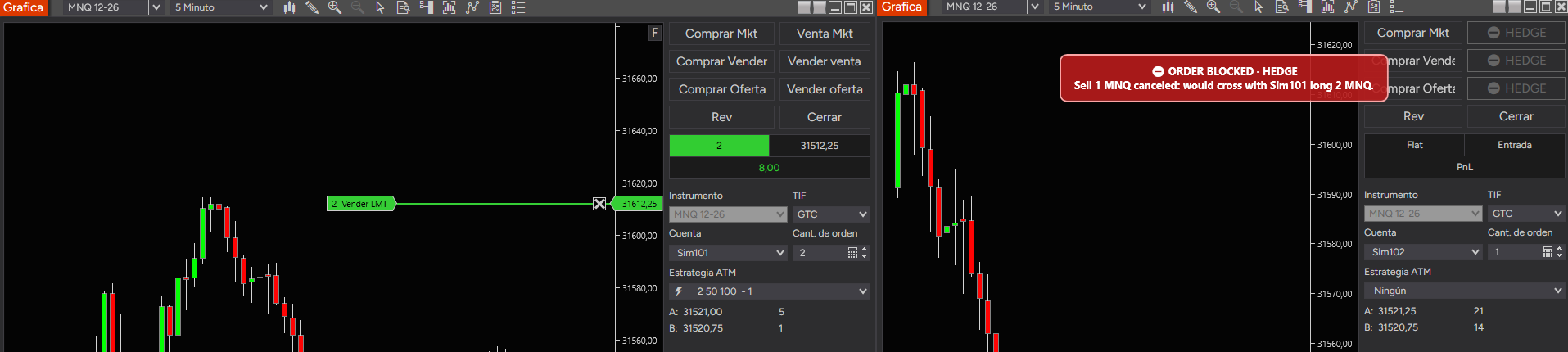
No hedging across your accounts.
Bunshin won't copy a trade that would leave two accounts on opposite sides, locks the opposite buttons in Chart Trader and instantly cancels any opposite order that slips through. Three layers to keep you inside your prop firm's rules.
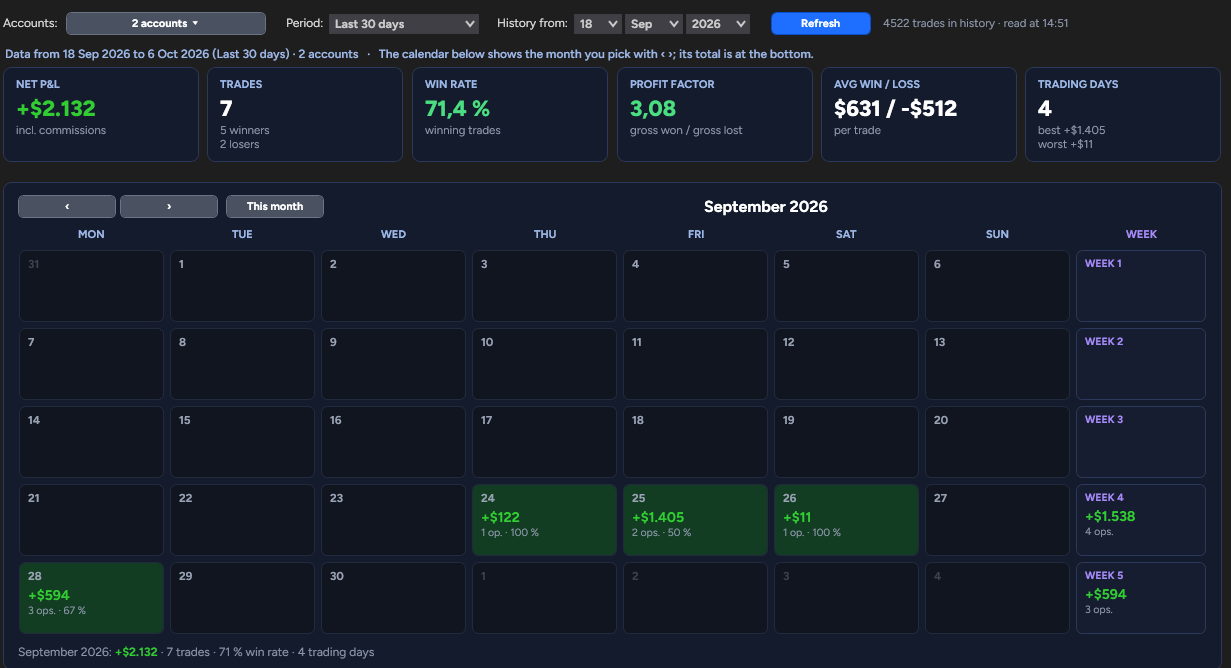
Know how your accounts are doing at all times.
Results by day, week, and month, win rate, and profit factor, for one account, several, or all of them. Your NinjaTrader and TopstepX history on one calendar, with commissions.
Unlimited accounts. No per-account fees.
Try every feature free for 7 days.
- Unlimited accounts and groups
- Plans, Multiplan, Journal, and Assistant
- The Shield and TopstepX
- All updates included
- Everything in the monthly plan
- Works out to $37.50 a month
- All updates included
FAQ
What do I need?
NinjaTrader 8 on Windows. Bunshin installs as an AddOn: no separate app, no cloud servers.
Does my prop firm allow trade copying?
Most allow copying between your own accounts, with conditions. Always check your firm’s current rules before you trade.
Does it work with Topstep?
Yes. TopstepX accounts connect through their API and show up in the same tables as your NinjaTrader accounts.
How many accounts can I copy to?
Bunshin sets no limit. The real limit comes from your connections and your prop firms.
What if a connection drops?
The Shield detects the account that falls out of sync, closes it, and disables it, so nothing is left open by mistake.