Everything you need to trade multiple prop firm accounts from NinjaTrader.
Bunshin installs inside NinjaTrader 8. Each tab does one job: copy trades, apply plans, watch risk or show you your results.
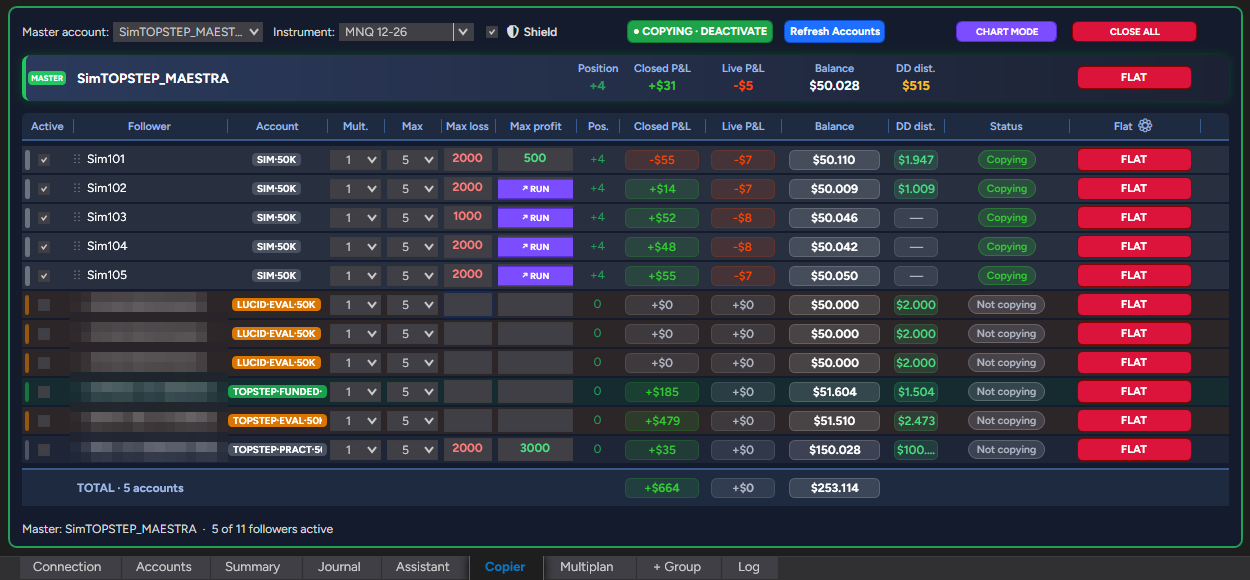
One master, as many accounts as you want.
You trade one account and Bunshin brings the others into the same position, always at market. Each account has its own settings.
- —Multiplier and max contracts per account
- —Max daily loss and profit per account
- —"Let it run" per account, so one keeps going even after it hits its target; cancel it while above the target and a locked floor stays in place
- —Safe reversals: closes the follower accounts first, then reverses
- —Anti-hedge: never two accounts on opposite sides of the same market
Your risk management, applied automatically.
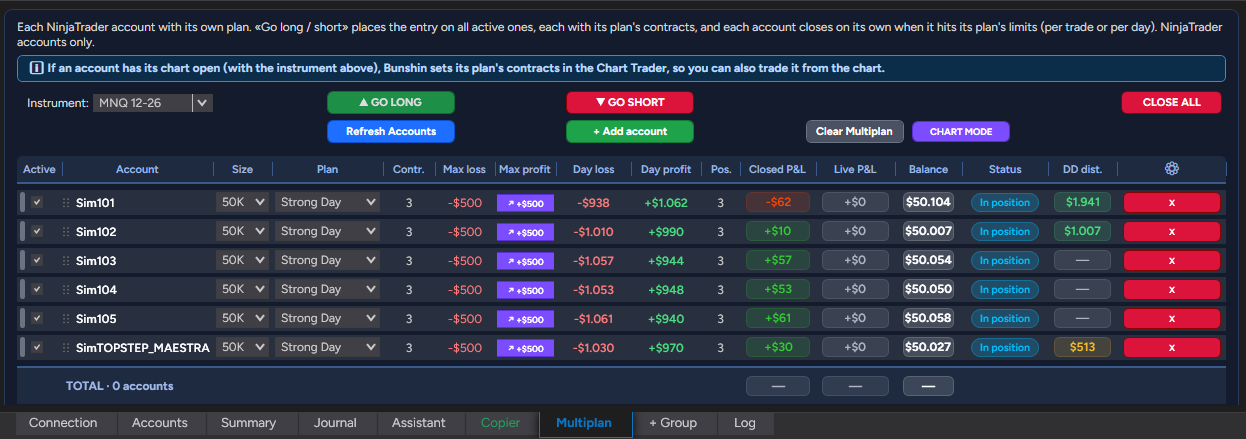
Bunshin comes with three built-in plans that prop firm traders use: Strong Day for days when the market is on your side, Evaluation to pass the evaluation with measured risk, and Minimum Day to log the trading days your prop firm requires while risking as little as possible. Adjust them to your strategy or create your own for each account size.
A plan group copies the master with the contracts and limits of the chosen plan, and shuts everything down when those limits are hit.
- —When you activate it, the master's chart opens automatically with the plan's contracts in Chart Trader
- —When the daily limit is hit, the account is locked until the next session
- —Each account shows how much it has left today before hitting its limits
Each account on its own plan, at the same time.
An aggressive evaluation and a conservative funded account at the same time. When you activate it, Bunshin automatically opens one chart per account with its plan's contracts. "Go long / short" places the entry on all of them, each on its own plan, and each one closes automatically at its limits.
No account gets left out of sync.
Every few seconds, the Shield checks each account against the master. If they don't match, it corrects the account first; if it's still off after 10 seconds, or an order fails, it closes the account, disables it and sounds the alarm.
Every action is recorded in the Log with its reason.
Never two accounts on opposite sides.
Many prop firms, Topstep included, forbid holding accounts on opposite sides of the same market. Bunshin prevents it in three layers:
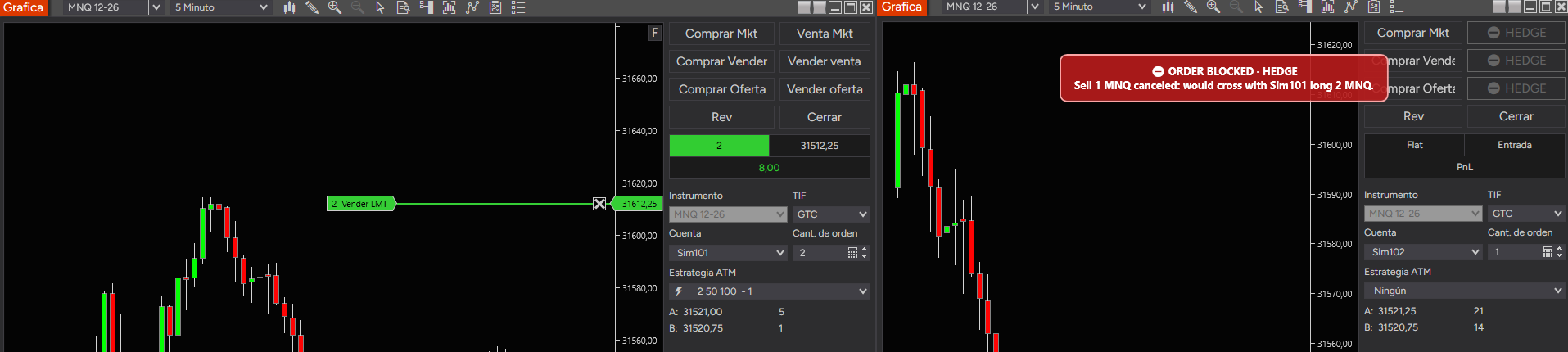
- —It won't copy a hedge: if an account would end up opposite another, it isn't copied and shows "Blocked"; it copies on its own as soon as that clears.
- —It locks the buttons: in the Chart Trader of the other accounts in that market, the opposite-side buttons are disabled and show ⛔ HEDGE.
- —It stops anything that slips through: if an opposite order comes in from the DOM or another program, it is canceled instantly and flagged on the chart.
Know how much room each account has left.
You enter the drawdown and its type (end of day, intraday or static) and Bunshin calculates the liquidation level and the distance to it, in green, amber or red. If your prop firm shows a different level, you type it in and Bunshin tracks from there.
Your results, day by day.
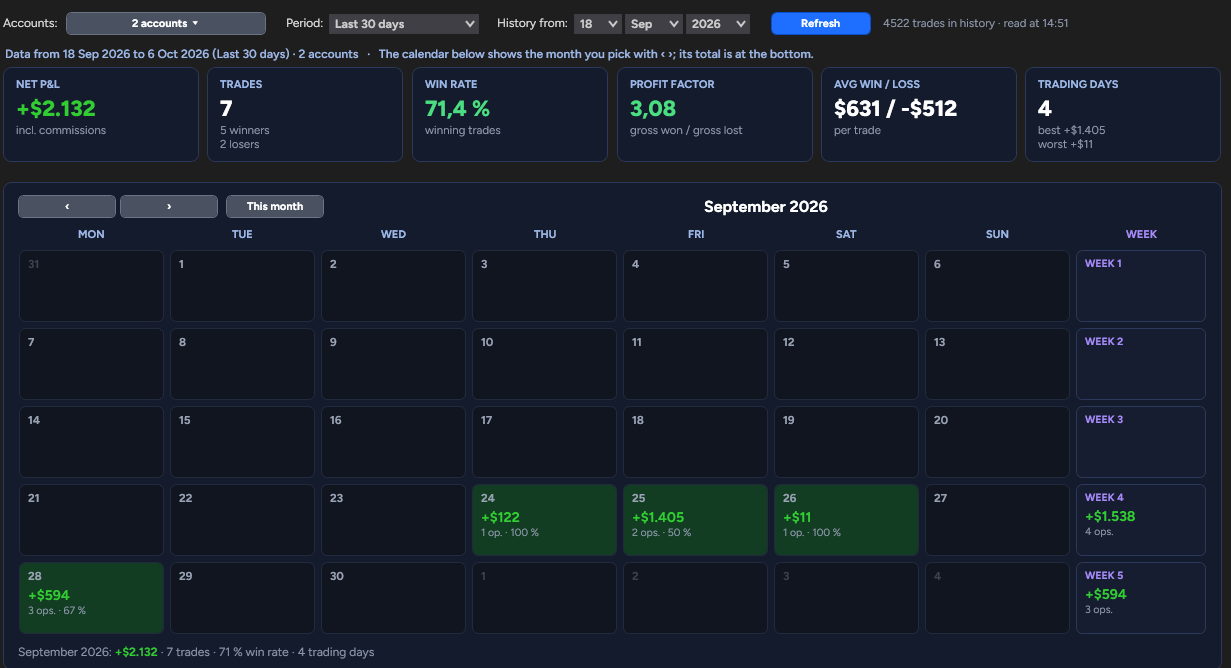
A calendar with your results for each day, each week and the month, plus win rate, profit factor and averages. You choose the period and the accounts; both NinjaTrader and TopstepX accounts are included, with commissions.
Your strategy across all your accounts, designed by you and set up by Bunshin.
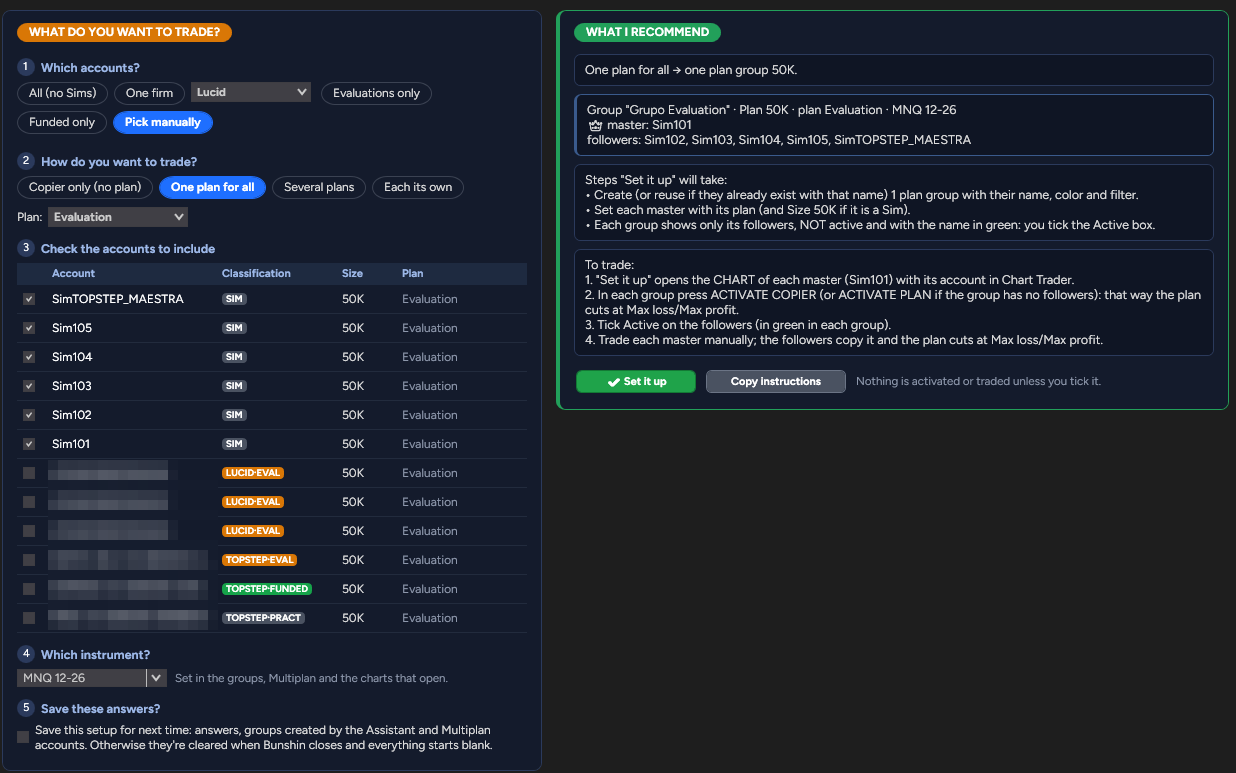
A new way to organize your accounts. You say what you want to do; the Assistant turns it into a setup and applies it to all your accounts, each with the right amount of risk.
Which accounts? Which plan? Which instrument? In one click, it creates the groups and their tabs, the master, each account with its plan or limits, and opens the charts with the contracts already set. All you do is turn on copying.
All your accounts, sorted automatically.
Bunshin detects the firm, phase and size from the account name, and you can adjust them in a table. TopstepX accounts connect through their API and are copied just like NinjaTrader accounts.